
Expense tracker without SMS permission: 3 safe ways in India
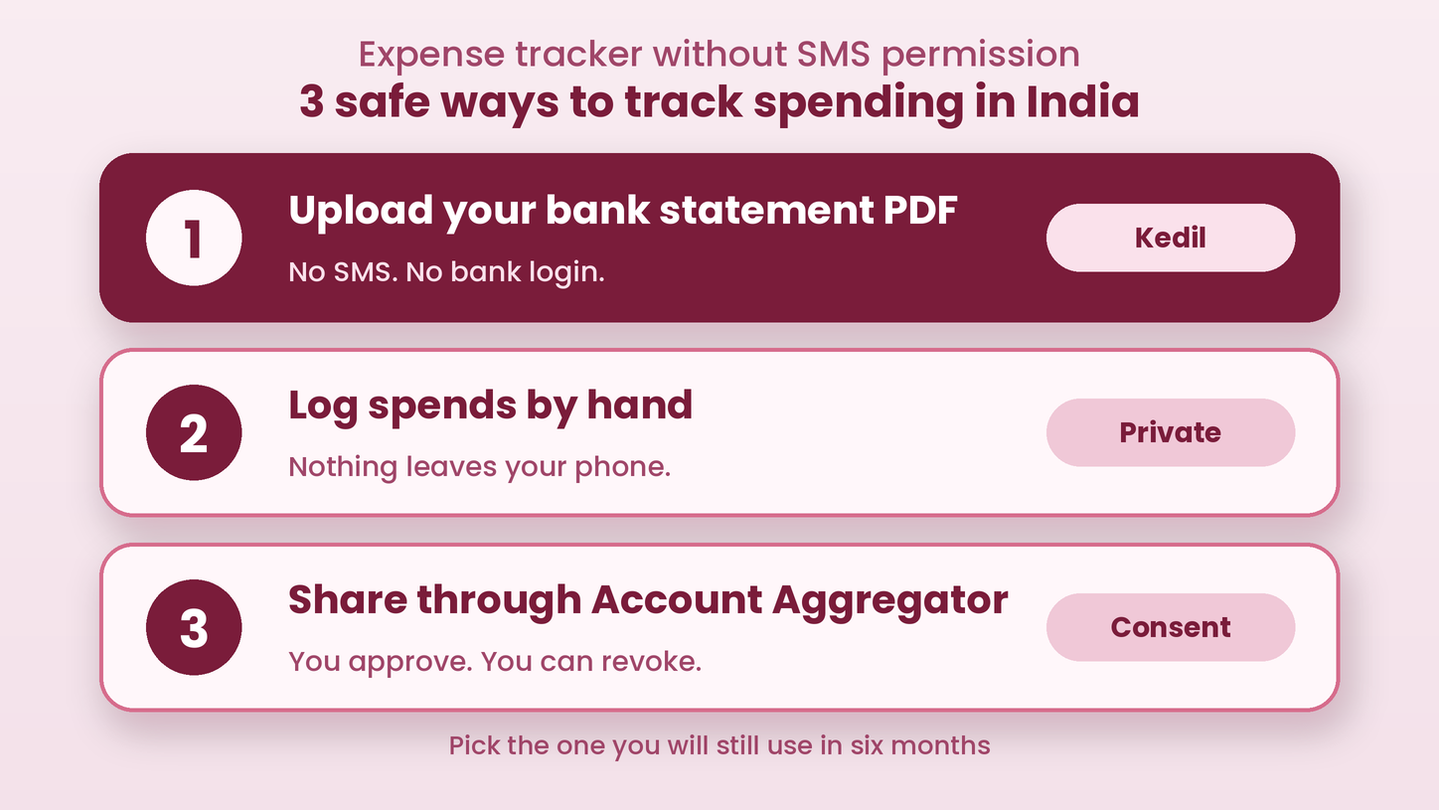
Most expense apps want to read your texts. Here are three safe ways to track spending in India without SMS permission or a bank login: upload a statement, log by hand, or use Account Aggregator consent, with a worked ₹82,000 month to show how.
An expense tracker without SMS permission builds your spending record from data you hand over yourself, not from your message inbox. In India, three ways work: uploading a bank statement PDF, logging spends by hand, and sharing data through a consent-based Account Aggregator. Kedil, a budgeting app for salaried Indians, takes the first route: you upload a statement PDF, and Kedil asks for no SMS permission and no bank login.
Search for the Best Monthly Expense Tracker App in India and most results assume you will let the app read your texts. Many salaried people won't. One software professional on Blind asked, "Is it safe to allow these apps to read your transaction SMSs?" That is a fair question, and the honest answer is that it rests on trust you cannot verify. This guide gives you three ways to track spending where the question never comes up.
I've spent 15+ years in financial infrastructure, where the first rule is to give a system only the access it needs. I applied that rule to Kedil, which is why Kedil, an expense tracker without SMS permission, works from a file you choose to upload. Below you'll find why SMS access is sensitive, how each of the three ways works, how they handle UPI, cards, EMIs and cash, a worked ₹ month, and a five-question checklist for choosing any privacy-friendly expense tracker.
| Way | Permission it asks for | Logs spends automatically? | Effort | Best for |
|---|---|---|---|---|
| Bank statement upload (Kedil) | None. You pick the file | Yes, after each upload | One upload a month | Salaried households with EMIs and UPI across several apps |
| Manual logging | None | No | A few taps per spend | People who want to feel every rupee leave |
| Account Aggregator sync | Your consent through an RBI-regulated aggregator | Yes, where the app is on the network | One-time setup | People who want auto-sync and accept a third party in the chain |
Why people want an expense tracker without SMS permission
Reading texts is the obvious shortcut for a money app. Banks already send an alert for most debits, so an app that can read the inbox can log each spend without you typing a thing. The shortcut has a cost, and more people are deciding it is not worth paying. If you want an expense tracker without SMS permission, you are not being paranoid. You are asking for the same access control you would expect from any system that touches your money.
This guide is for salaried households who want a clear monthly picture without handing an app their inbox: people with EMIs and a card bill, people on iPhone, and people who simply want an expense tracker without bank login or SMS access. For them, the right expense tracker without SMS permission is one that still gets the numbers right. A good expense tracker without SMS India should also cope with UPI, cards and cash, which is what the sections below cover.
What SMS access means for a privacy-friendly expense tracker
On Android, the permission to read SMS opens the whole inbox, not only bank alerts. Your OTPs, delivery codes, messages from family and bank alerts all sit in one place. An app that asks for the permission decides what to read and what to ignore, and you take its word for it. Google's own Play policy classes SMS and call log permissions as personal and sensitive user data.
Apps do make promises. Some say they process messages only on your device and skip anything that is not a bank debit alert. Others make the permission optional: the Play Store listing for Needle Expense Tracker says it requests SMS only for an optional sync feature, and LABAM says you can use the app without granting it.
Those promises are a good sign, but they are still promises. A privacy-friendly expense tracker should need less of your trust, not more. The cleanest design is one where the app never has the access in the first place, so there is nothing to promise.
What Google Play and iPhone allow for an expense tracker without SMS permission
Google Play restricts the SMS permission group tightly. The policy says an app must be registered as the default SMS, Phone or Assistant handler, and use is limited to approved core functionality that the app documents and promotes. Developers must also submit a declaration form in Play Console. Google can grant an exception for listed uses, and SMS-based money management is on that list, so expense trackers can qualify. Approval is a gate, though, not a given, and that is one more reason an expense tracker without SMS permission is easier to trust. A developer on DEV Community wrote that Google Play rejected the SMS auto-import feature in his personal finance app.
On iPhone the question does not exist. In a reply on Apple's developer forums, an Apple Developer Relations engineer wrote that third-party apps have zero read access to the Messages database. So every iPhone user already depends on an expense tracker without SMS permission, whether they know it or not. iPhone apps fill the gap with other inputs, such as statements or messages you paste in yourself.
Why an expense tracker without bank login matters too
SMS is not the only access apps ask for. Some ask for net-banking credentials or an OTP so they can pull transactions directly. India's Account Aggregator framework was built partly to replace screen scraping and shared passwords with a single revocable consent, according to HyperVerge's 2026 guide to the framework.
My view is simple: if an app asks for your bank password, close it. An expense tracker without bank login removes that risk completely, and Kedil's feature page says plainly that no bank login is needed. The same logic applies to every permission. Ask what the app needs for the job you want done, and nothing beyond it. An expense tracker without SMS permission needs very little.
Way 1: An expense tracker without bank login that reads your statement PDF
The first way is also the one Kedil is built on. You download the statement PDF from your bank, upload it, and the app does the reading. There is no permission to read texts, no login, and no live connection to your account. It is the simplest expense tracker without SMS permission to explain, because the only thing the app ever sees is a file you chose to give it.
How a statement-based expense tracker without SMS permission works
Your bank statement lists every debit and credit with a date, an amount and a narration. UPI payments carry the UPI ID of the merchant or person. Kedil, as an expense tracker without SMS permission, reads those lines and, according to its UPI tracker page, recognises merchants from UPI IDs and sorts payments into categories such as food, shopping and bills. You can fix any category in one tap, and you can set budgets for areas like food delivery and shopping.
Because the source is the bank's own record, one pass through the Bank Statement Analyzer covers every UPI app you use, which is what an expense tracker without SMS India needs. GPay, PhonePe and Paytm all end up as debits on the same statement. Kedil's page puts it as reading UPI payments from your bank statements "so every app is covered."
The same page says Kedil's data is "never sold, shared or used for ads," and the app is free during early access. Those are the company's own claims, so read the privacy policy before you upload anything to any app, mine included.
What you give up with a statement-based privacy-friendly expense tracker
The honest trade-off is that it is not live. Kedil's comparison table lists real-time updates as "No, when you upload." An expense tracker without SMS permission shows this month's spending only after you upload this month's statement. Two things follow from that:
- Mid-month overspends show up late. If your budget is tight, upload on the 15th as well as at month-end.
- Credit card swipes appear as one bill payment on your bank statement. To see what the card was spent on you need the card's own statement. Kedil's pages describe bank statement uploads, so check whether your app reads card statements before you rely on it.
If instant alerts matter more to you than privacy, a statement-based expense tracker without SMS permission is not your way. For most salaried households on a monthly pay cycle, a month-end view is what drives decisions anyway.
A five-step monthly routine for your expense tracker without SMS permission
Here is the routine:
- Download last month's statement for your salary account from net banking or your bank's app, and the card statement too if your app reads it.
- Upload the files to your expense tracker without SMS permission.
- Scan the transactions the app could not place and fix their categories. Most of the work is in the first month.
- Compare food delivery, shopping and other flexible lines with the budget you set.
- Pick one number to change next month, and write it down.
Step 5 matters more than the other four. A tracker that records your spending but never changes it is a diary, not a tool.
Way 2: A privacy-friendly expense tracker you fill in by hand
The second way is an expense tracker without bank login, without SMS access and without any data upload. You type each spend into a notes app, a spreadsheet or a budgeting app. It is the most private kind of expense tracker without SMS permission, because no software ever reads your bank data. It is also the most demanding, because you are the integration.
Use UPI history to run an expense tracker without SMS permission by hand
Many everyday payments in India now go through UPI, and every UPI app keeps a transaction history. Use it as your cue. Once a day, or once at the weekend, open the history, and log each payment in your tracker with a category. Five minutes on a Sunday is enough for most households.
Manual logging has a real benefit that automation hides. Typing a ₹640 food delivery order makes you feel it. I have written about the case for that friction in Why Manual Expense Tracking Beats Automation in 2026, and it holds up: people who log by hand tend to notice patterns that auto-sync buries.
Where a manual expense tracker without SMS India breaks down
Manual tracking fails in predictable places. It fails in month three, when the habit fades. It fails on auto-debits you never see, such as an EMI, a SIP or a subscription renewal. And it fails when you cannot reconcile your notes against the bank, so you never learn whether your total is right.
The fix is a hybrid. Log cash by hand, because cash leaves no digital trail, and let a statement upload cover everything that does. That gives you an expense tracker without SMS India that is private, complete and light on effort. If you only pick one expense tracker without SMS permission, choose the one you will still be using in six months.
Way 3: An expense tracker without SMS permission using Account Aggregator
The third way is the one with the most automation. An Account Aggregator, or AA, is an RBI-regulated company that moves your financial data from your bank to an app, but only after you approve it. No SMS access is involved, and you never hand over a bank password, so it counts as an expense tracker without SMS permission and without bank login.
What consent means for an expense tracker without bank login
The Department of Financial Services states that no customer financial information is retrieved, shared or transferred under the AA framework without the customer's explicit consent. Bajaj Finserv describes that consent as explicit, revocable and purpose-specific. In practice, the consent request names what data is shared, with whom, for what purpose and for how long, and you approve it or decline it.
Registering with an AA is voluntary for consumers, and the same government page says RBI had granted registration to seventeen companies as AAs. For anyone who wants an expense tracker without bank login that still syncs on its own, this is the route built for that job.
Trade-offs against a statement-based expense tracker without SMS permission
AA sync is clean, but it comes with three costs:
- You add a third party. The aggregator sits between your bank and the app, even though it is built as a pipe that does not read the data.
- Only apps that have joined the network can ask for your data. Many expense trackers have not.
- You still have to manage consents. Each one runs for a set period, and you should review them as you would any permission.
If you want sync, an Account Aggregator route is a legitimate expense tracker without SMS permission, as long as the app is on the network. Kedil works from statement uploads, not from Account Aggregator. I mention that plainly because a post about privacy should not blur what each product does. I covered how AA consent works in more depth in my post on India's single monthly statement.
Expense tracker without SMS India: UPI, cards, EMIs and cash
Indian household money does not sit in one place. A salary lands in one account, rent leaves through a transfer, a card carries the groceries, and an EMI leaves on the 5th. A useful expense tracker without SMS India has to cope with all of that without reading a single text.
UPI payments in an expense tracker without SMS India
UPI is the easiest part. Every UPI payment is a debit on the account it came from, so the bank statement already holds it, whichever app you used to pay. Kedil's UPI Expense Tracker page describes the approach as reading UPI payments from your bank statements, with merchants recognised from UPI IDs.
That makes it a workable expense tracker without SMS permission for anyone who pays through GPay, PhonePe or Paytm. The limit is the narration. Payments to people, such as a landlord, a maid or a friend, show a name or a UPI ID but not a purpose. Fix those once, and a good tracker should remember the choice for next time.
Credit cards and EMIs in an expense tracker without SMS permission
A card bill payment shows on your bank statement as a single debit. The detail lives in the card statement, so you need that document to see food, fuel and shopping separately. Kedil's pages describe bank statement uploads, so check whether card statements are supported before you rely on them. The same applies to loans. An EMI is a fixed amount on a fixed date, so it is easy to spot in the statement, and easy to forget in a budget. This is the practical edge of an expense tracker without bank login: the statement already holds everything your bank knows, and any expense tracker without SMS permission can read it from there.
If you hold more than one bank account, the Manage Multiple Bank Accounts page describes all banks in one view, with one budget across them. Transfers between your own accounts are linked and shown once, not counted as spending, and EMIs from any bank are tracked. This is where a statement-based approach earns its place for salaried households: rent, EMIs and daily spending sit in one place, not in separate apps.
Cash in a privacy-friendly expense tracker
Cash is the one gap every automated method shares, SMS-based or not, and an expense tracker without SMS India is no exception. An ATM withdrawal shows as one line, and what you bought with it does not show at all. Treat the withdrawal as a bucket, then note the big cash spends in your phone. Do not chase every ₹20 chai. A privacy-friendly expense tracker only needs to be accurate enough to change a decision.
A worked month with an expense tracker without SMS permission
Here is an illustrative month for a salaried household using an expense tracker without SMS India. It is made up, but the shape is typical: take-home pay of ₹82,000, rent, a car loan EMI, a SIP, a card bill and daily UPI spending. The household uses an expense tracker without SMS permission, so everything below comes from one bank statement upload.
What the bank statement shows
| Line in the statement | Amount (₹) |
|---|---|
| Salary credited | 82,000 |
| Rent | 18,000 |
| Car loan EMI | 14,500 |
| SIP | 8,000 |
| Credit card bill payment | 11,400 |
| UPI spends (all apps) | 24,600 |
| Cash withdrawal | 3,000 |
| Electricity and internet | 2,100 |
| Total debits | 81,600 |
| Left in the account | 400 |
The ₹24,600 of UPI spends breaks down like this once the tracker has read the narrations and UPI IDs:
- Groceries: ₹7,900
- Food delivery: ₹5,200
- Fuel: ₹4,100
- Everything else: ₹7,400
What the numbers tell you
Rent, EMI and SIP add up to ₹40,500, which is 49% of the salary before a single daily purchase. UPI spending is another 30%. The ₹400 left is not a buffer, it is a rounding error.
Food delivery is ₹5,200, about 21% of the UPI total. Cutting it by ₹2,000 a month frees ₹24,000 a year, and that is a choice you can make without touching rent or the EMI. The ₹11,400 card bill is the blind spot. It could be groceries, a flight or a one-off purchase, and only the card statement will say which.
None of this needed a text message. The statement carried the facts, and a quick fix of the uncategorised lines did the rest. That is the case for a statement-based expense tracker without bank login: the facts are already in a document your bank gives you every month. An expense tracker without SMS permission only has to read it.
How to choose a privacy-friendly expense tracker
Whatever way you pick, the same checks apply, whether you choose an expense tracker without SMS permission or any other kind. Treat permissions like a loan application. Ask what is being requested, why, for how long, and what happens if you say no.
Five questions to ask any privacy-friendly expense tracker
- Is SMS access required or optional? An expense tracker without SMS permission should work fully without it, not in a crippled mode.
- Does it need a bank login or password? If yes, look for an expense tracker without bank login that uses consent instead.
- Where is my data processed and stored, and can I delete it?
- How does the company make money? Ads and data sharing are the usual ways a free app pays for itself.
- What does it say on the Play Store or App Store data-safety section, and does that match the privacy policy?
Question 4 is the one people skip. A free tracker with no visible business model is paid for somehow. Kedil is free during early access and says its data is never sold, shared or used for ads, but read the policy and judge it yourself.
How to check permissions on a privacy-friendly expense tracker
On Android, open Settings, find the app under Apps, and look at its Permissions. SMS appears there if the app asked for it. You can switch it off at any time and see whether the app still does its job. On iPhone, an app cannot read your messages at all, so the list will not contain SMS.
Do this for every money app you already have, and for any expense tracker without SMS India you are considering. If one asks for more than its job needs, either turn the permission off or move to an expense tracker without SMS permission that does the same job with less access. A privacy-friendly expense tracker earns your trust by asking for little.
Expense tracker without SMS permission: FAQs
Is there an expense tracker without SMS permission in India?
Yes. Kedil reads a bank statement PDF you upload, so it needs no SMS permission and no bank login. You can also log spends by hand or use an Account Aggregator route.
Can an expense tracker without bank login still be accurate?
Yes. Your bank statement is the bank's own record, so every debit and UPI payment is captured. The gap is timing: you see data when you upload, not live.
Do iPhone apps need SMS permission to track expenses?
No. Apple gives third-party apps no read access to Messages, so an iPhone expense tracker without SMS permission uses statements, pasted alerts or manual entry.
Is a privacy-friendly expense tracker free?
Kedil, an expense tracker without SMS permission, is free during early access. Whatever you choose, check how the app earns money and whether its privacy policy rules out ads and data sharing.
How often should I upload to an expense tracker without SMS India?
Monthly suits a salary cycle. Add a mid-month upload if your budget is tight, and check whether your app reads card statements, so you see category detail, not just the bill.
What is an Account Aggregator in expense tracking?
An RBI-regulated consent system. You approve what data an app sees and for how long, and you can revoke it. Not every expense tracker is on the network.
Pick one month, download the bank statement, and upload it to Kedil, an expense tracker without SMS India and without bank login. You will see where the money went without granting SMS access or sharing a password. Kedil is free during early access.