Money management app vs spreadsheet vs bank app
A spreadsheet is the better pick if you enjoy building your own system. A bank app is enough if all your money sits in one bank. Kedil suits you when it doesn't.
| Question | Kedil | Spreadsheet | Bank app |
|---|---|---|---|
| Shows all banks together | Yes | If you enter it all | Usually one bank |
| Sorts spending into categories | Automatically | By hand | Varies by bank |
| Tracks budgets during the month | Yes | If you build it | Rarely |
| Shows interest paid on each loan | Yes | If you build it | For that bank's loans |
| Updates on its own from your bank | Not yet | No | Yes |
What to look for in a money management app
Start with what you need to see each month. For most salaried people, that means where the salary went, how much is left, and what is owed on loans and cards. A money management app that answers those three questions clearly is more useful than one with a long feature list.
- All your accounts in one view, not just one bank
- Categories that sort themselves and can be corrected
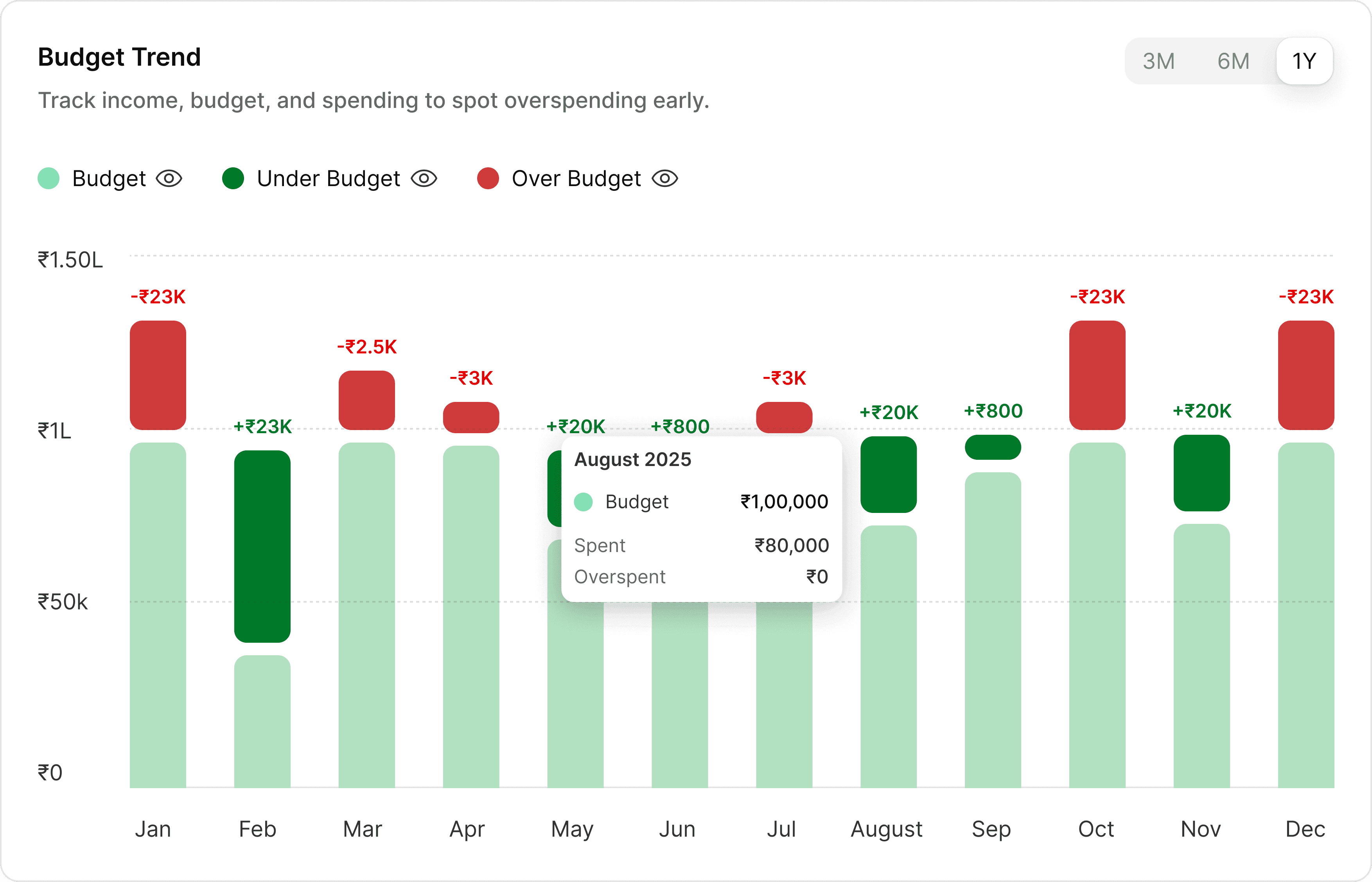
- Budgets you can check during the month
- Loans and EMIs next to your everyday spending
- Clear answers on what happens to your data
Money management app or budgeting app?
A budgeting app focuses on one job: planning spending and tracking it against limits. A money management app covers more of your finances, including your accounts, debts and net worth. If your main worry is overspending, budgeting may be enough. If you also have loans and several accounts, the wider view helps.
Why a money management app in India needs different features
Indian finances don't look like the ones most global apps are built for. Salary arrives once a month, UPI payments run into dozens a week, and many households carry a home loan, a car loan and a credit card at the same time. Money is split across two or three banks, with gold, PPF and insurance on the side.
A money management app India users can rely on should handle rupee formatting in lakhs, categories like EMI, rent and domestic help, and PDF statements from Indian banks. Most important, it should not need your net banking password to work.
How to build a monthly routine with a money management app
You don't need to check your money every day. Import your statements once a month, correct any categories that look wrong, and compare your spending with your budget. Then adjust next month's limits based on what actually happened.
If you carry debt, look at the interest you're paying at the same time. The loan with the highest rate is usually the one to look at first when you have extra money.
Why a simple money management app beats a feature-heavy one
Many apps open with investment tabs, credit scores and loan offers on the home screen. It looks complete, but it buries the questions you came with. A simple money management app keeps the first screen focused: this month's spending, your budget and what you owe.
The test is month three. If you still open the app after the first excitement fades, it is simple enough. Start with one statement and one budget, and add more only when those stick.
Money management app free vs paid: what's the real cost?
A free money management app has to earn somehow. Many show ads, or use your spending data to offer personal loans and credit cards at the moment you're short. That is often why they want SMS access or a bank login.
A paid app earns from its users instead, so its interest matches yours. Kedil is free during early access, with paid plans to come. It doesn't lend money, sell credit or share your data with advertisers.
What a personal money management app should check beyond spending
Tracking spending is only half the picture. A personal money management app should also show whether your basics are covered: term insurance to protect your family, health insurance for big hospital bills, an emergency fund so you don't borrow in a crisis, and a retirement plan.
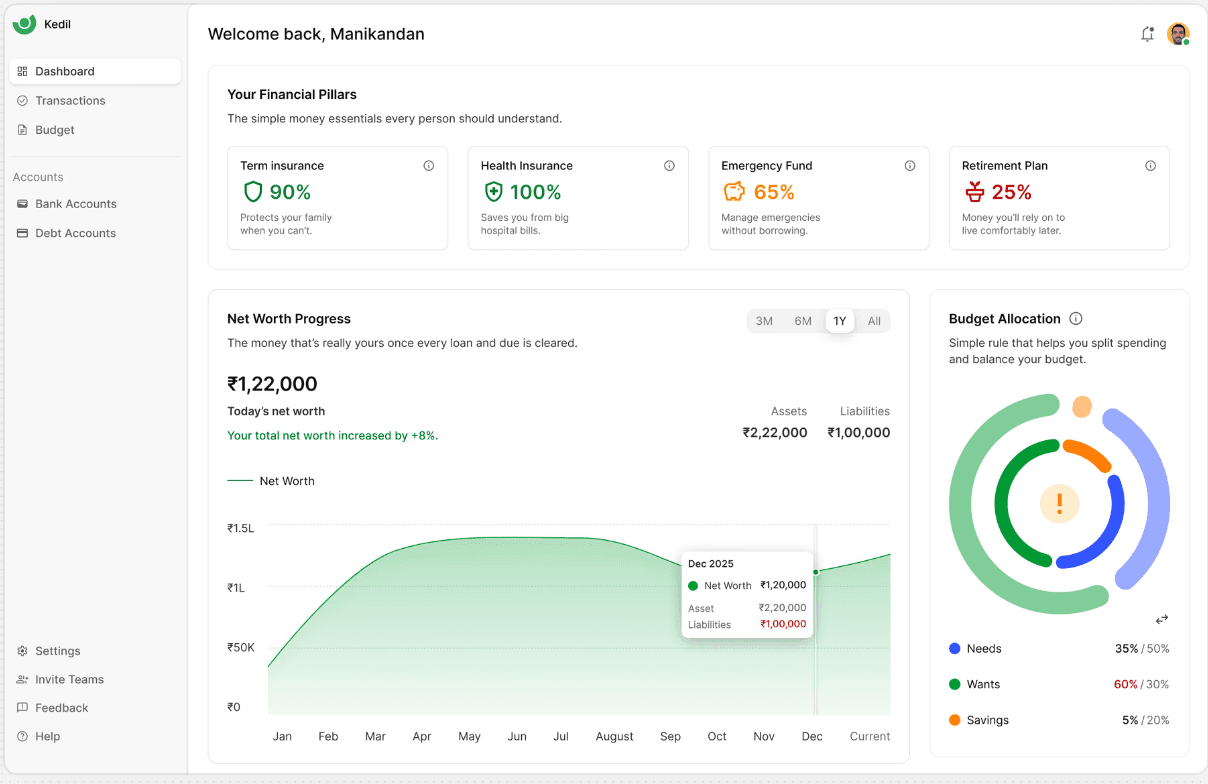
Kedil shows these as Financial Pillars on your dashboard, each with a simple progress score. When one is low, you know where the next rupee should go before you spend it elsewhere.
How a money management app helps you pay off debt faster
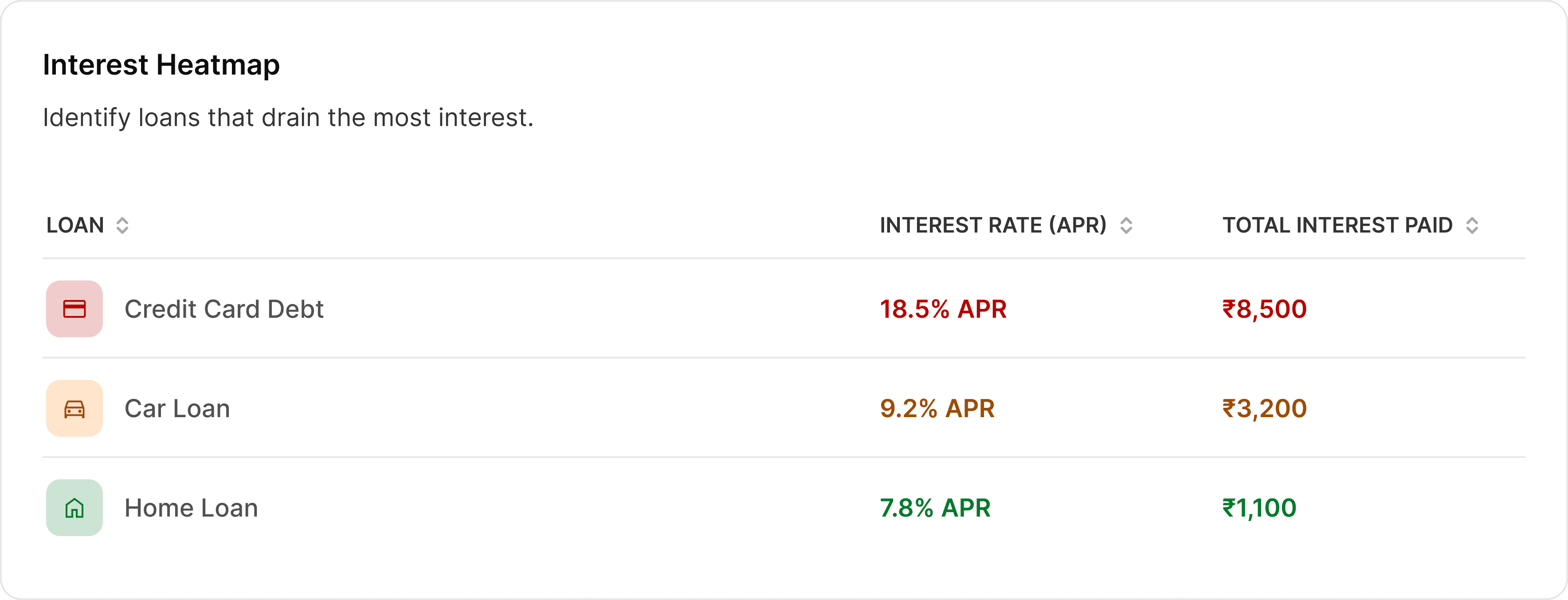
Most people pay the minimum on every loan and hope it works out. But a credit card at 18% costs far more than a home loan at 8%. Seeing each loan's rate and the interest you've already paid makes the order obvious.
A money management app that lists balances, rates and EMIs together lets you put extra money where it saves the most. Kedil's interest heatmap ranks your loans by cost, and its payoff plan shows how much faster you finish.
Why net worth matters in a money management app
Net worth is the money that is really yours once every loan and due is cleared. Your bank balance can look healthy while your loans grow faster than your savings. Net worth shows the honest number.
Tracking it monthly in a money management app tells you whether you're moving forward. A rising line means your plan is working, even in months when spending felt high.
Common mistakes when you start using a money management app
- Tracking too much. Twenty categories means twenty decisions. Start with eight to ten.
- Leaving out loans. EMIs are often the biggest monthly cost. Add them on day one.
- Counting transfers as spending. Money moved between your own accounts is not an expense.
- Ignoring yearly bills. Insurance premiums and school fees break one month. Spread them across the year.
- Quitting after a bad month. A month of overspending is why you track, not a reason to stop.